Category: Tech & Automation

  • Best Smart Leak Sensors for Kitchens, Laundry Rooms, and Water Heaters

    Best Smart Leak Sensors for Kitchens, Laundry Rooms, and Water Heaters

    A leak sensor earns its place by warning you about a small problem before it becomes an expensive one.

    That matters because water damage often begins in places nobody checks every day: under the kitchen sink, behind the washing machine, near the water heater, beneath a dishwasher, or beside a refrigerator water line. A smart sensor cannot fix a leak or guarantee protection, but it can add another layer of awareness when you are asleep, away, or simply not looking in the right place.

    Disclosure: Some links in this guide are affiliate links. If you make a purchase through them, Things Well Chosen may earn a commission at no additional cost to you.

    Are smart leak sensors actually worth it?

    For many homes, yes: but you probably do not need one in every room.

    Even one or two strategically placed sensors can provide earlier warning of a supply-line leak, slow drip, overflowing appliance, failing water heater, dishwasher leak, or washing-machine hose failure. The key is placing them where a problem could go unnoticed and where water is likely to collect.

    There is an important limitation: a sensor only detects water where its sensing contacts, cable, or probe can reach. A sensor under the kitchen sink will not know about a leak behind the refrigerator.

    It is also useful to separate three categories:

    • A leak sensor detects water and sends an alert.
    • A water-monitoring device watches flow, pressure, or temperature and may identify unusual usage.
    • An automatic shutoff system can close a valve on the incoming water supply.

    These are not interchangeable. A basic sensor does not stop water unless it is paired with a compatible shutoff system.

    For a broader look at smart devices that solve specific household problems rather than simply adding another app, see Smart Home Upgrades That Actually Make Daily Life Easier. The same test applies to our guide to smart plugs that are actually worth using: a device is worth adding when it solves a specific problem rather than existing simply because it can connect to an app.

    Where should you put leak sensors?

    Placement matters more than quantity. Start with the places where a small leak could cause damage before anyone notices.

    Under the kitchen sink

    Place a sensor near supply-line connections, the garbage disposal, dishwasher line, water filter, or any plumbing connection that could drip into the cabinet. Keep it clear of stored cleaning supplies so water can reach the sensing points.

    Laundry room

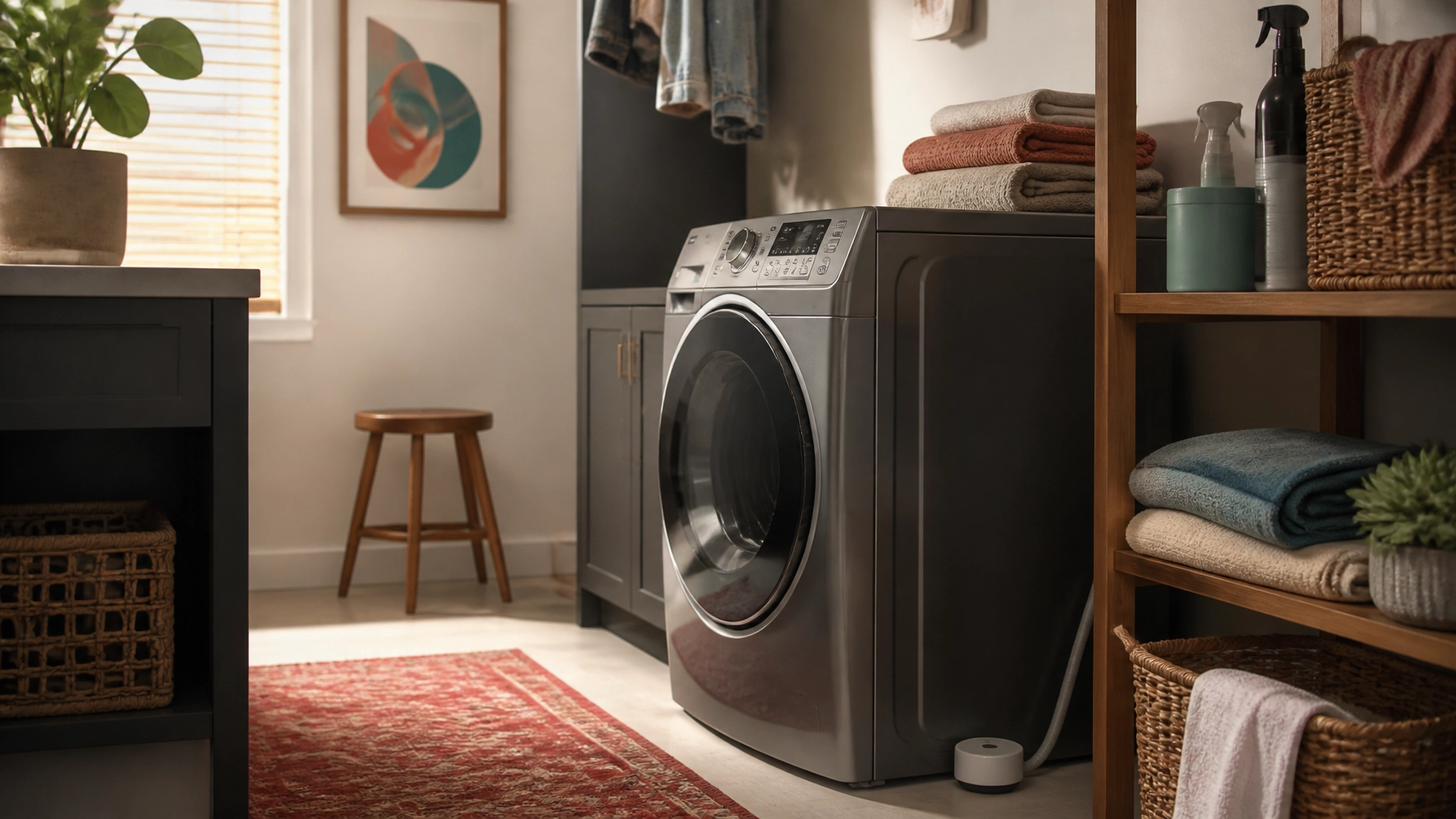
    The floor near washing-machine hoses and drain connections is one of the strongest locations in the home. A failed hose or overflowing drain can release water quickly, while a slow connection leak may remain hidden behind the machine.

    Water heater

    Place a sensor near the base of the water heater, where leaking water would likely collect. If the heater sits in a pan, position the sensor where water will reach it rather than on a raised ledge.

    Dishwasher

    A sensor near the front edge of the dishwasher or in the adjacent cabinet may catch water escaping before it spreads across the kitchen floor.

    Refrigerator

    If the refrigerator has an icemaker or dispenser, consider placing a sensor near the water-supply connection. This is especially useful when the connection is tucked behind the appliance and rarely inspected.

    Bathroom vanity

    Place one near supply valves and drain connections beneath the sink. A cable or extension probe can be useful when the cabinet is crowded or the likely collection point is difficult to reach.

    Basement or utility area

    Consider sensors near sump pumps, condensate drains, boilers, HVAC equipment, or other water sources. Utility rooms and basements are particularly good candidates for long-range systems when Wi-Fi is weak or the sensor is far from the router.

    Features that actually matter

    Reliable water detection

    Most sensors use exposed contacts, probes, or a sensing cable. A compact puck is convenient for a floor or cabinet base. A cable is better when you need to cover a longer edge or reach under an appliance.

    Notification method

    Useful alert options include app push notifications, a local siren, email, SMS or text, and hub-based alerts. Verify the exact method for the specific model. A loud alarm matters if the phone is not nearby or the internet is temporarily unavailable.

    Connectivity and hub requirements

    Wi-Fi sensors generally connect through your home network. Zigbee sensors communicate with a compatible hub. Thread devices communicate through a Thread network and may require a border router. Matter is a smart-home standard that can improve platform compatibility, but it does not eliminate every hub or controller requirement.

    A proprietary hub can be worthwhile when it provides stronger range, a louder central alarm, or support for many sensors. It is still another piece of hardware, so account for its location, power, and Wi-Fi requirements.

    Battery life

    Battery estimates are usually manufacturer claims rather than guarantees. Battery life varies with the sensor, alert activity, temperature, and network conditions. Choose a model that provides low-battery warnings and check the sensor occasionally.

    Temperature and freeze alerts

    Temperature sensing is a useful bonus in basements, garages, utility rooms, and other spaces where frozen pipes are a concern. It is only useful if the specific model supports it.

    Remote monitoring

    Remote alerts are most useful when you travel or have equipment in a room you rarely visit. Test the alerts after setup. A notification buried in a rarely opened app is not much protection.

    Five smart leak-detection options worth considering

    GoveeLife Smart Water Leak Detector 1s, H5059 kit: Best overall value

    Why we like it

    The GoveeLife system is a practical, relatively inexpensive option for common locations such as the kitchen, laundry room, basement, or water heater. The linked two-sensor kit pairs one H5044 Wi-Fi gateway with two H5059 leak sensors.

    The sensors do not connect to Wi-Fi on their own. They communicate with the GoveeLife gateway, which requires 2.4 GHz Wi-Fi. The system uses a long-range Sub-1G connection between the gateway and sensors; Govee claims up to about 1,804 feet in suitable conditions.

    The sensors include a 105 dB adjustable alarm and IP67 water resistance. Govee advertises app and email alerts, and the current Amazon kit listing also advertises SMS/text alerts. Battery life is claimed by the manufacturer at up to about five years.

    Best for

    Homeowners who want broad alert options and long range without spending heavily on a more involved system.

    What to consider

    The gateway is required, and the advertised battery life is a manufacturer estimate. This is a detection system, not an automatic shutoff system.

    Aqara Water Leak Sensor T1: Best for Aqara households

    Why we like it

    The Aqara Water Leak Sensor T1 is a compact Zigbee 3.0 sensor designed for homes already using, or willing to add, an Aqara hub. Aqara lists an IP67 housing and water detection at about 0.5 mm.

    When water is detected, it can send app notifications, trigger the Aqara hub alarm, and automate other Aqara devices.

    Best for

    Readers building an Aqara-based smart-home system and those who want a small, discreet sensor for cabinets, bathrooms, and utility areas.

    What to consider

    Aqara states that an Aqara hub is required. Do not assume a third-party Zigbee hub will provide the same support. Aqara also suggests keeping the sensor within a reasonable range of the hub for a stable connection. Availability of the linked listing may vary.

    Eve Water Guard: Best for Apple Home households

    Why we like it

    The Eve Water Guard is designed primarily for Apple Home households. Its 6.5-foot sensing cable monitors a wider area than a small floor puck and can be extended with additional cable to roughly 490 feet.

    It includes a 100 dB siren and red LED warning light, along with notifications to an iPhone, iPad, or Apple Watch. The device uses Bluetooth and Thread, with Eve emphasizing local processing and no Eve cloud account.

    Best for

    Apple Home users who want a cable-based sensor beneath a sink, along a utility-room edge, or around a water heater.

    What to consider

    The device can be controlled locally from an iPhone or iPad without a hub, but away-from-home notifications and automation require an Apple home hub. Thread networking requires compatible Apple hardware that acts as a Thread border router, such as a HomePod mini or supported Apple TV 4K. It is also more expensive than the simplest options, and availability may vary.

    YoLink Water Leak Detector 4 with SpeakerHub: Best for long-range utility areas

    Why we like it

    The linked YoLink starter kit includes one SpeakerHub and three Water Leak Sensor 4 units. Its LoRa-based communication is designed for long range; YoLink advertises up to about one-quarter mile in open air.

    That makes it a strong fit for basements, garages, utility closets, remote outbuildings, or other locations where Wi-Fi may be unreliable. The sensors include a 105 dB alarm and low-temperature/freeze warning. The starter-kit listing also advertises SMS/text, email, and app push alerts.

    Best for

    Larger homes and difficult-to-reach areas where range matters more than using a familiar Wi-Fi network.

    What to consider

    A YoLink hub is required for full functionality, and the SpeakerHub needs an internet connection. Battery life is described by the manufacturer as multi-year. The kit itself does not automatically shut off the water; that requires separate compatible valve hardware.

    Moen Flo Smart Water Monitor and Shutoff: Best for whole-home monitoring and shutoff

    Why we like it

    The Moen Flo is a different category from the other products here. It installs on the main cold-water supply line rather than sitting beside one appliance or plumbing connection.

    The 3/4-inch model monitors flow, pressure, and temperature, can alert you to leaks and abnormal water use, and can automatically shut off incoming water or be controlled remotely through the app.

    Best for

    Homeowners who want whole-home monitoring and automatic shutoff, particularly when the cost and installation are justified.

    What to consider

    This is not a simple plug-in leak sensor. Installation involves cutting into the main supply line, and Moen recommends professional installation. The unit also requires 2.4 GHz Wi-Fi and a nearby AC power outlet. It is a substantial investment and is better suited to homeowners than renters.

    Start with the highest-risk locations

    A sensible setup does not require dozens of sensors. Start with the location most likely to cause trouble: under the kitchen sink, beside the washing machine, or near the water heater. Test the sensor after installation, label it clearly in the app, and confirm that alerts reach you.

    If you need broader coverage in a large or frequently empty home, add another sensor where water could go unnoticed. Consider a whole-home monitoring and shutoff system only when its cost, installation, and maintenance make sense for your situation.

    A smart leak sensor is an awareness tool, not a guarantee. The best setup is the one that warns you early and sits in the right place.


  • Smart Plugs That Are Actually Worth Using

    Smart Plugs That Are Actually Worth Using

    Disclosure: Some links in this guide are affiliate links. If you make a purchase through them, Things Well Chosen may earn a commission at no additional cost to you.

    Smart plugs are worth using when they remove a repeated annoyance. They can turn off a lamp from bed, schedule seasonal lights, control an awkwardly placed outlet, or create a simple evening routine without replacing an otherwise perfectly good device.

    They are less worthwhile when they add an app, account, and Wi-Fi connection to a task that was already easy. If you can comfortably reach the switch and have no reason to schedule or automate it, a smart plug may simply be another small piece of technology to manage.

    That is the useful distinction: a smart plug should make an ordinary device easier to control, not make your home feel like a hobby project.

    What are smart plugs actually useful for?

    A smart plug controls the flow of power to whatever is connected to it. Through an app, voice assistant, schedule, timer, or automation, you can switch that outlet on or off.

    The best uses are simple:

    • Turning a lamp on at dusk or off at bedtime
    • Scheduling holiday and seasonal lights
    • Controlling a lamp or fan from across the room
    • Shutting off a compatible device automatically at night
    • Creating a vacation routine that turns lights on and off
    • Managing an outlet that is difficult to reach
    • Measuring energy use when the information will change your decisions

    A smart plug can also be useful with compatible coffee equipment, but only when the appliance is designed to begin operating when power is restored. A coffee maker with a physical on/off switch may work for a scheduled morning routine. A machine that requires someone to press an electronic power button after every outage will not become useful simply because it is connected to a smart plug.

    For more ideas about choosing technology that quietly removes everyday friction, see Smart Home Upgrades That Actually Make Daily Life Easier.

    Bedside lamp and small fan in a calm bedroom with a discreet smart plug near the outlet

    The smart-plug features that actually matter

    Ecosystem compatibility

    Start with the smart-home system you already use.

    • Amazon Alexa: Look for support for Alexa routines and voice control.
    • Google Home: Confirm the exact model works with Google Home.
    • Apple Home: Check for Apple Home compatibility or Matter support. “Works with Siri” is not always the same as full Apple Home support.
    • Matter: Matter is a shared smart-home standard that can make one plug easier to use across major platforms instead of locking you into one ecosystem.

    Matter does not make every feature identical everywhere. A plug may support basic on/off control in Apple Home, Alexa, Google Home, and SmartThings while keeping energy data or advanced scheduling in the manufacturer’s app. Some Matter devices also require a compatible controller or hub, and Thread-based products need a Thread border router.

    Wi-Fi requirements

    Many smart plugs use 2.4 GHz Wi-Fi rather than 5 GHz. That is normal, but it can complicate setup if your router combines bands or blocks new devices from joining. Wi-Fi plugs may also rely more on your router and, depending on the brand, the manufacturer’s cloud service. Matter-over-Thread plugs use a different connection and generally require compatible hub hardware.

    Size and outlet access

    A smart plug should not block the second outlet if it can help it, especially behind furniture, near desks, and anywhere outlet space is already limited.

    Maximum electrical load

    Check the plug’s rated amperage and wattage against the device you plan to connect. A common rating is 15 amps and up to 1,800 watts, but that does not make every appliance appropriate.

    The appliance must:

    1. Be compatible with being switched on and off through its power supply.
    2. Stay within the smart plug’s rated electrical load.
    3. Be safe to restart automatically and operate unattended.

    Follow the appliance manufacturer’s instructions and the smart plug manufacturer’s rated-load guidance.

    Schedules, timers, and away modes

    Reliable schedules are one of the best reasons to buy a smart plug. A lamp that turns on at dusk or decorative lights that shut off automatically is often more useful than elaborate automation.

    Away modes can also vary light timing while you travel, which is practical even if it is not especially sophisticated.

    Energy monitoring

    Energy monitoring is worth paying for only if you will use it. It can help you spot a device that draws more power than expected or decide whether switching something off overnight matters. Check where the data appears: often in the manufacturer’s app, not always in Apple Home, Alexa, Google Home, or SmartThings.

    Physical controls and manual fallback

    A physical button matters more than it sounds. If the app is unavailable, someone should still be able to turn the device on or off at the plug. Depending on the product and ecosystem, local control or saved schedules may continue offline, but do not assume every function will.

    Four smart plugs worth considering

    TP-Link Tapo P125M: Best compact budget Matter option

    Why we like it

    The Tapo P125M is a simple fit for lamps, fans, seasonal lighting, and other basic loads. Its compact body measures approximately 2.4 by 1.5 by 1.3 inches, making it less likely to block the neighboring outlet. It supports Matter and works with Apple Home, Alexa, and Google Home according to the manufacturer and listing. It uses 2.4 GHz Wi-Fi and is rated for 15 amps or up to 1,800 watts at 100–125 volts.

    Best for

    Readers who want a small Matter plug without paying for energy monitoring.

    What to consider

    The P125M does not include energy monitoring. A compatible Matter controller or hub may also be required for your platform, so verify those requirements before buying.

    TP-Link Kasa KP125M: Best for energy monitoring on a budget

    Why we like it

    The KP125M adds energy monitoring while staying relatively compact. It is rated for 15 amps or 1,800 watts for general resistive loads, uses 2.4 GHz Wi-Fi, and supports Matter with Apple Home, Alexa, Google Home, and SmartThings. Detailed energy information is available through Kasa, and the current Amazon listing is a two-pack.

    Best for

    Households that want to understand the energy use of a lamp, fan, entertainment setup, or other compatible device without moving to a more advanced monitoring system.

    What to consider

    Current KP125M firmware supports Matter 1.3 energy reporting, but TP-Link notes that energy-monitoring support still varies by Matter app and ecosystem, so do not assume the same data will appear everywhere. The plug measures approximately 2.6 by 1.5 by 1.6 inches, making it slightly larger than the Tapo P125M.

    Eve Energy (Matter): Best for Apple Home and privacy-conscious households

    Why we like it

    Eve Energy uses Matter over Thread and includes energy monitoring. Eve also emphasizes local control without an Eve cloud account, registration, or tracking. It works with Apple Home, Alexa, Google Home, and SmartThings, and the manufacturer lists a 15-amp, 1,800-watt maximum for the US model.

    Best for

    Apple Home households and readers who prefer local control without another manufacturer account.

    What to consider

    This is not a hub-free option. Eve Energy requires a compatible hub and Thread border router for Thread and Matter use. For Apple Home, compatible hardware includes a HomePod mini, HomePod second generation, or Apple TV 4K second or third generation, according to the manufacturer. It is also more expensive and physically larger than the compact Wi-Fi options.

    Philips Hue Smart Plug: Best for existing Philips Hue lighting households

    Why we like it

    The Philips Hue Smart Plug is most useful for one specific job: bringing a non-Hue lamp into an existing Hue lighting system. It uses Bluetooth and Zigbee connectivity, is designed primarily for lighting rather than as a general-purpose plug, and can join Hue scenes, schedules, and broader lighting routines with a Hue Bridge. The plug is rated for 100–120-volt mains.

    Best for

    People who already own Philips Hue lights and want a lamp with a non-replaceable bulb or unusual fixture to appear in the same lighting system.

    What to consider

    Full Hue features require a Hue Bridge. This is not a general replacement for a Matter smart plug, and readers starting from scratch will usually be better served by a more broadly compatible plug.

    What smart plugs are not good for

    A smart plug is usually the wrong choice when:

    • The outlet is already easy to reach.
    • The device requires an electronic power button after power is restored.
    • The appliance should not restart unattended.
    • The electrical load is high or the device has demanding startup behavior.
    • The appliance is a space heater, high-wattage heating device, cooking appliance, iron, hair tool, portable air conditioner, pump, or motor load.
    • The device manufacturer does not approve this type of power control.
    • The smart plug’s app would create more effort than using the existing switch.

    Be especially cautious with space heaters and heating appliances. A plug’s maximum wattage rating is not, by itself, proof that a particular heater is safe to automate. Startup surges, cycling behavior, heat, and unattended operation all matter.

    When in doubt, skip the smart plug and follow the appliance and plug manufacturers’ instructions.

    Privacy, cloud dependence, and Matter in plain language

    Smart plugs vary in how much they depend on a manufacturer’s cloud service. Some use the cloud for remote access, app control, schedules, or account-based features. Others support more local control through Wi-Fi, Matter, Thread, or a dedicated hub. Local control can reduce internet dependence, but it does not mean every feature works the same way offline.

    Before buying, check whether an account is required, whether core on/off control works locally, whether schedules continue during an internet outage, where energy data appears, whether a hub or Thread border router is required, and whether the physical button still works if the app does not.

    Matter is best understood as a compatibility layer, not a cure-all. It can make a device easier to use across major platforms, but each ecosystem may still expose different features and require different hardware.

    The practical recommendation

    For most people, one smart plug on a lamp or another low-risk device is enough to prove the point. Use it for a schedule, a hard-to-reach outlet, or a simple “goodnight” routine. If it genuinely removes friction, add another.

    The Tapo P125M is the sensible compact pick when you do not need energy data. The Kasa KP125M is the better fit when monitoring matters. Eve Energy earns its higher price for households that value Thread and local control, while Philips Hue still makes sense for homes already invested in Hue lighting.

    The best smart plug quietly makes a useful device easier to manage, and then stays out of the way.

  • Smart Home Upgrades That Actually Make Daily Life Easier

    Smart Home Upgrades That Actually Make Daily Life Easier

    The best smart-home technology does not ask for your attention all day. It quietly removes a repeated annoyance: a light left on, a thermostat that needs constant adjustment, crumbs under the table, or the nagging question of whether the back door is locked.

    That is the standard worth using. A device should make a routine easier often enough to justify the app, account, setup, maintenance, and privacy considerations that come with it. If it only adds another screen or another way to troubleshoot the house, the non-smart version may be the better choice.

    These are the upgrades most likely to earn their place in a real home—and the situations where you can comfortably skip them.

    Start with the friction you repeat most

    Smart-home technology is easiest to justify when it solves a problem that happens frequently.

    Before shopping, identify the task you perform repeatedly or the small uncertainty you carry through the day:

    • Walking through the house to turn off lights
    • Adjusting the thermostat several times a day
    • Wondering whether the garage or back door is locked
    • Cleaning pet hair and crumbs from floors
    • Checking under sinks after a washing machine cycle
    • Managing several phones, tablets, and rechargeable devices
    • Remembering to turn off a lamp, fan, or countertop appliance

    The best upgrade is not necessarily the most capable one. It is the device that removes one of these annoyances without creating three more.

    A useful rule: begin with one room, one routine, or one repeated problem. A smaller system is easier to understand, maintain, and secure.

    Smart lighting and dimmers: useful because you use them constantly

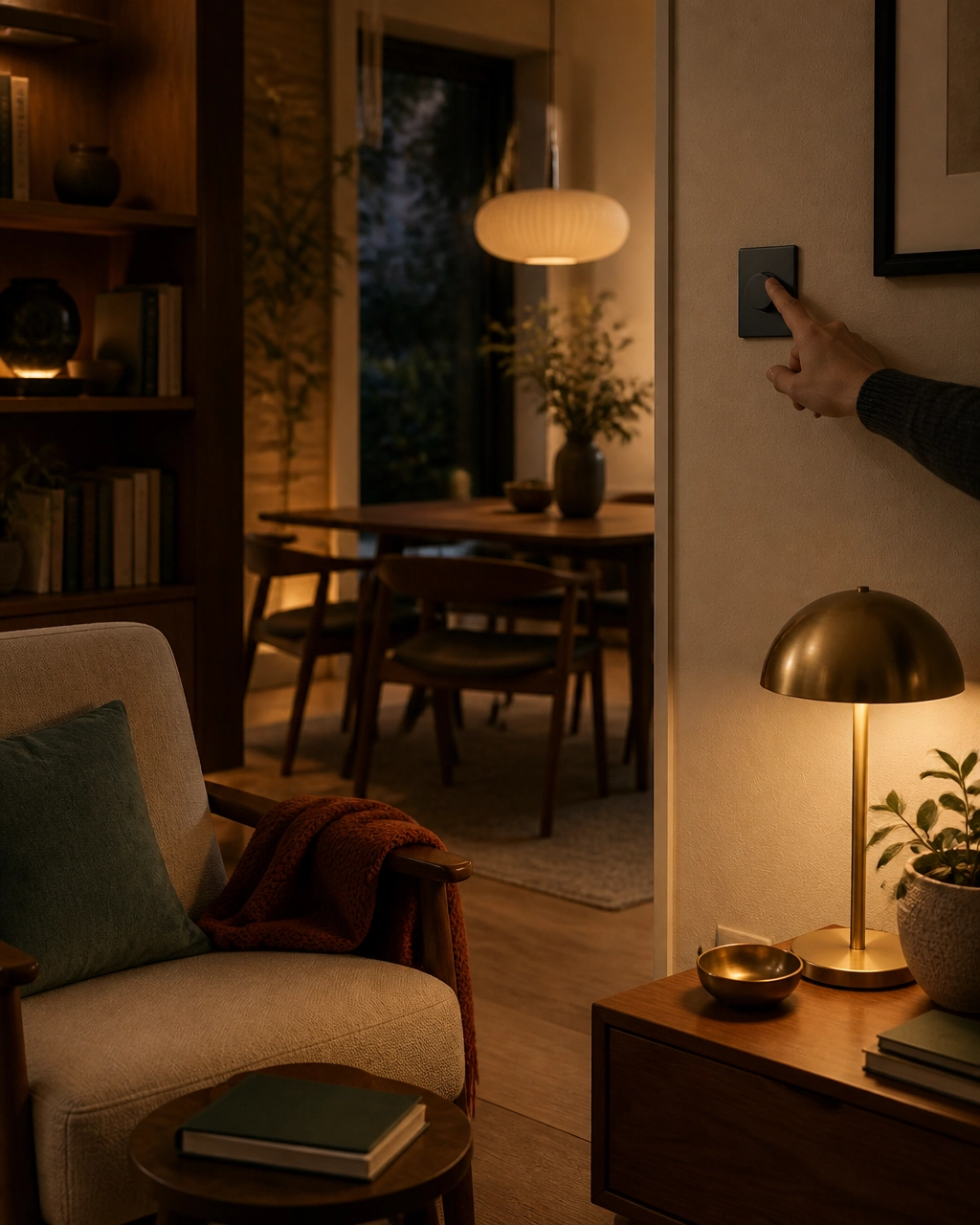
    Hand adjusting a simple wall dimmer in a warm, comfortable home

    Lighting is one of the few smart-home categories that can improve daily life in small ways from morning through bedtime. The benefit is not that a bulb connects to an app. It is that the light can respond to how the room is being used.

    A smart dimmer or smart switch can help you:

    • Turn off several lights from one location
    • Set a softer evening level without adjusting each lamp
    • Schedule porch or entry lighting
    • Turn on a hallway light at a particular time
    • Control a lamp when the physical switch is inconvenient to reach

    Who benefits most

    Smart lighting is particularly useful in rooms with several fixtures, homes where switches are poorly placed, and households with predictable morning or evening routines. It can also help anyone who finds bright overhead lighting uncomfortable later in the day.

    For whole-room control, a smart switch or dimmer is often more practical than replacing every bulb. The wall control remains familiar to guests, and the light still works in a conventional way when someone taps the switch.

    Smart bulbs make more sense when you want different color temperatures, portable lamps, or room-by-room scenes without changing electrical hardware.

    Tradeoffs to consider

    Compatibility matters. A dimmer must be appropriate for the type of bulbs and wiring in the fixture, and installation may be unsuitable for some renters or older homes. Smart bulbs can become frustrating if someone repeatedly turns off the physical switch, cutting power to the bulb and making app control unavailable.

    Look for devices that work with your preferred home platform. Matter is designed to improve interoperability across compatible smart-home ecosystems, but you should still verify that the specific device and features you want are supported by your preferred platform before buying.

    The non-smart version may be better if you only need one light to turn on and off in one predictable place. A standard dimmer, timer, or motion-sensing switch may solve the problem with less setup and no account.

    Smart plugs: small devices with a narrow but useful job

    Smart plugs are appealing because they are relatively simple solutions to several everyday problems. Their strongest use is not controlling everything remotely. It is scheduling or automating a simple device that otherwise requires repeated attention.

    Good candidates include:

    • A lamp that should turn on at dusk
    • A fan used on a regular sleep schedule
    • An entertainment setup that can be powered down overnight
    • Seasonal lighting
    • A compatible low-power device that benefits from a predictable schedule

    Choose devices that are appropriate for the electrical load, and avoid using a basic smart plug as a casual substitute for a properly rated control or safety device. Heating appliances and other high-draw equipment deserve particular caution.

    Who benefits most

    Smart plugs work well for people with predictable routines, hard-to-reach outlets, or lamps and appliances that lack built-in scheduling. They can also help create a simple “away” routine without replacing an entire lighting system.

    Their weakness is that they can multiply clutter. Five plugs from five different brands can mean five apps, inconsistent reliability, and a confusing list of devices with names no one remembers.

    The non-smart version may be better when a physical timer, power strip, or appliance setting already handles the job. If you will only use a plug once a month, the connection may not be worth managing.

    Smart thermostats: worthwhile when they match your HVAC system

    A smart thermostat can reduce repeated adjustments and help avoid heating or cooling an empty home. Remote control is useful, but the more meaningful benefit is having the system follow a schedule without requiring you to remember it every day.

    ENERGY STAR says certified smart thermostats save an average household more than 8% on heating and cooling costs, or about $50 per year, based on field data from homes in the United States. Actual results vary with climate, HVAC usage, home insulation, and how the thermostat is used. Homes with higher heating and cooling bills or long periods of vacancy may have more opportunity to save. ENERGY STAR’s smart thermostat guidance provides useful context.

    Who benefits most

    This upgrade is most compelling for households with regular schedules, large seasonal HVAC bills, vacation properties, or a tendency to heat and cool an empty home. It may also improve comfort when the existing thermostat is inconveniently located or difficult to program.

    Tradeoffs to consider

    Compatibility comes first. Some systems require a common wire, a compatible voltage, or professional installation. Heat pumps, multi-stage systems, boiler systems, and older setups may need extra care. Confirm compatibility with the HVAC manufacturer or a qualified installer rather than assuming the thermostat will work.

    Thermostats also collect information about temperature settings, occupancy patterns, and household routines. Review the manufacturer’s privacy policy and account-security options. If you do not want a device tracking your schedule, a well-programmed conventional thermostat may be a more comfortable choice.

    A smart thermostat is not automatically an improvement if you constantly override it. In that case, a reliable programmable model may provide similar scheduling with less data collection and fewer points of failure.

    Smart locks: convenient, but not a casual purchase

    Smart locks solve a specific collection of small problems: misplaced keys, temporary access for visitors, and uncertainty about whether the door was locked.

    Useful functions may include:

    • Temporary codes for houseguests or service providers
    • A notification when the lock is operated
    • Remote confirmation that the door is locked
    • A scheduled locking routine at night
    • Keyless entry when your hands are full

    Who benefits most

    Smart locks can be helpful for households with frequent visitors, caregivers, dog walkers, short-term guests, or family members who need access at different times. They can also be useful when the existing lock is awkward to operate.

    The tradeoffs are more serious than they are with a smart lamp. The lock needs reliable power, the hardware must fit your door, and the app or account must be secured. Keep a physical key or another backup entry method, and monitor battery warnings rather than treating them as optional notifications.

    Entry logs are sensitive household information. Use a strong, unique account password and two-factor authentication when available. Understand who can create codes, view activity, and unlock the door remotely.

    A standard deadbolt is likely better if you rarely share access, prefer a simple mechanical solution, or are uncomfortable placing entry control in an app. Convenience is valuable here, but reliability should be the deciding factor.

    Video doorbells and cameras: useful only with clear boundaries

    A video doorbell can answer a practical question without requiring you to open the door: Who is there, and is the delivery at the right address? It may also help you notice visitors while you are away.

    That does not mean every home needs cameras throughout the property. More coverage creates more notifications, more footage to manage, and more privacy considerations.

    Before buying, investigate:

    • Whether video history requires a subscription
    • Whether local storage is available
    • How long footage is retained
    • Whether audio can be disabled
    • How motion zones and privacy masks work
    • Whether multiple household members can have separate access
    • What happens if the internet connection is unavailable

    Cameras and microphones deserve more scrutiny than lights or leak sensors. The Federal Trade Commission recommends changing default passwords, installing updates, securing the home network, and using account protections such as two-factor authentication for internet-connected devices. The FTC’s home-device security guidance is a useful starting point.

    When to skip them

    Skip a camera if you do not want to maintain recordings, tune alerts, or evaluate where the lens and microphone point. A doorbell with no recording plan may still provide a live view, but understand what functionality remains without a subscription. A conventional peephole, door viewer, or motion light may be enough for a home that does not need remote video.

    Robot vacuums: a meaningful labor-saving upgrade for the right floor plan

    Robot vacuum cleaning beneath a sofa in a warm living room with a Goldendoodle nearby

    A robot vacuum does not replace every kind of cleaning. Its value is more specific: it can handle repeated, lower-level floor maintenance so dust, crumbs, and pet hair do not accumulate as quickly between deeper cleanings.

    Who benefits most

    This category is most useful in homes with mostly open floor areas, hard flooring, low-pile rugs, pets, children, or anyone who finds frequent sweeping difficult to keep up with. Scheduled cleaning can be helpful because it reduces the need to remember the task.

    Tradeoffs to consider

    Robot vacuums need a reasonably clear path. Cords, small toys, clothing, and clutter can interrupt a cleaning run. The device also needs maintenance: emptying the bin, cleaning brushes, replacing filters, and dealing with occasional mapping or navigation issues.

    Some models use cameras or detailed sensors to navigate and map rooms. A home map can reveal the layout of your living space, so privacy should be part of the decision. Review whether maps are stored in the cloud, whether local control is available, and which features require an ongoing subscription.

    The non-smart version may be better for a small apartment, a crowded floor plan, or a home where vacuuming is already easy to do manually. A robot that spends more time being rescued than cleaning is not reducing friction.

    Leak sensors: a quiet upgrade with a clear purpose

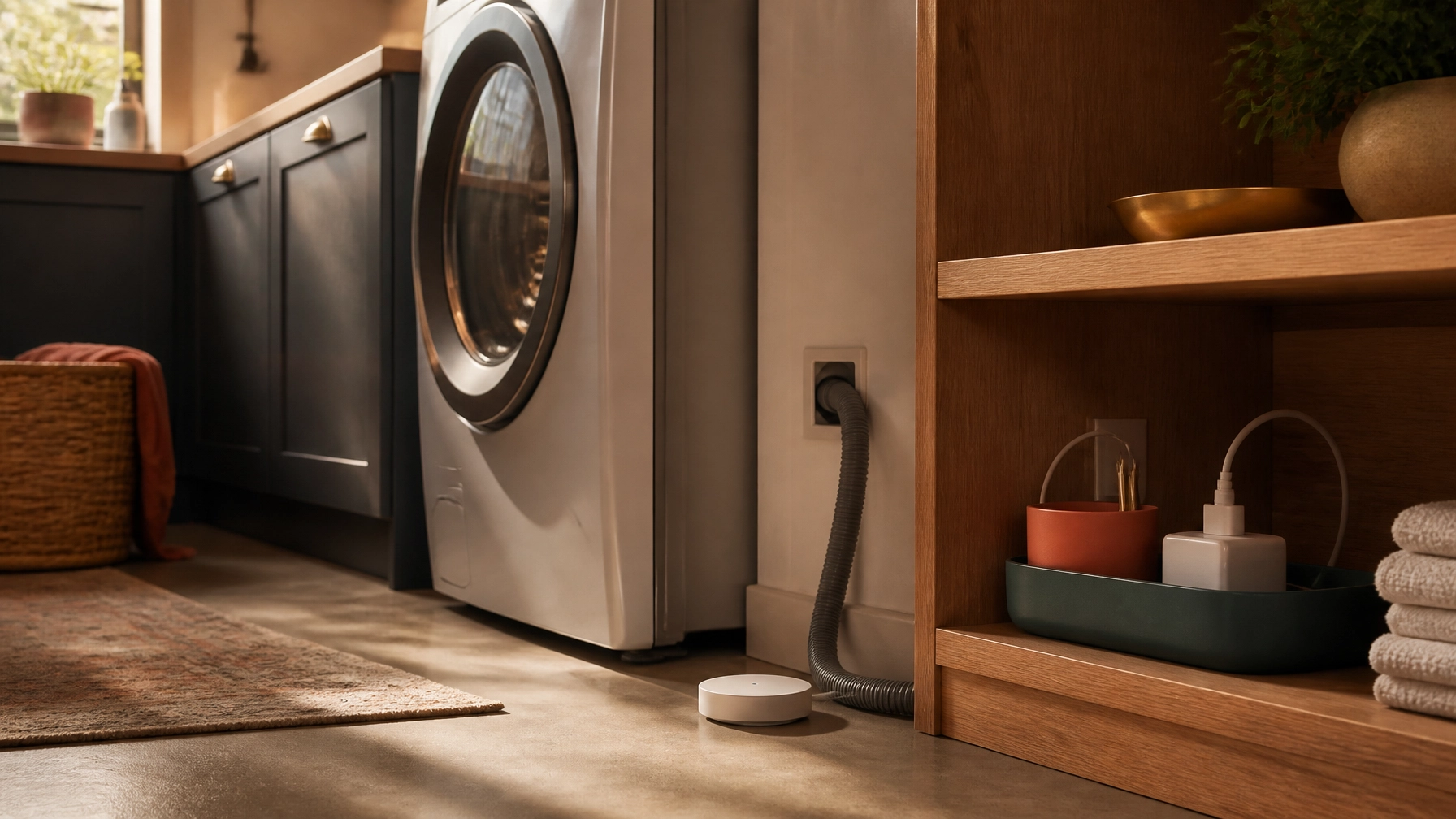
    Discreet water leak sensor beside a washing machine hose and tidy charging area

    Leak sensors are not entertaining, but they solve a problem where early notice can matter. Place them near a water heater, washing machine, dishwasher, under-sink plumbing, or other area where a small leak could go unnoticed.

    They can send an alert when moisture is detected. More involved systems may connect to an automatic shutoff valve, but whole-home shutoff equipment generally requires careful installation and should not be treated as a casual plug-in purchase.

    Who benefits most

    These sensors are especially sensible for homeowners, people who travel, households with laundry equipment on upper floors, and anyone with plumbing areas that are difficult to inspect regularly.

    Maintenance is modest but real. Test the sensors occasionally, replace batteries as needed, and make sure alerts reach someone who can respond. A sensor that is buried behind stored items or paired with an ignored notification is not doing much.

    Privacy risk is generally lower than with cameras or microphones, though connected devices still use accounts and may transmit data to a vendor’s service. Read the basic data and outage details before buying.

    If you check vulnerable areas often and would not act on remote notifications, a visual water alarm may be enough. The smart version is most useful when you may be away from home when a problem begins.

    Routines and charging systems: automate the routine, not the entire house

    Automation works best when it is simple, predictable, and easy to undo.

    A useful routine might turn off downstairs lights and lock the door at bedtime, lower the thermostat when the home is empty, or switch on a lamp before you arrive. Start with one trigger and one or two actions. If a routine contains too many conditions, it becomes difficult to understand when something does not happen as expected.

    Device management can benefit from the same restraint. A dedicated charging area with labeled cables and one place for phones, tablets, headphones, and portable devices may improve daily life more than a complicated charging automation. A smart plug can schedule a particular charger or lamp, but many modern devices already manage charging internally. Do not buy a connected charger simply because it offers an app.

    Voice assistants are worth considering only where hands-free control genuinely helps: setting a kitchen timer, turning off lights while carrying laundry, or adding an item to a shopping list. They are less useful when the same task is just as easy from a nearby switch.

    Because voice assistants rely on microphones and may send or store voice recordings, review the device’s recording controls, physical mute options, retention settings, and account permissions. A physical timer, switch, or written list may be preferable for households that would rather not keep an always-available microphone in the room.

    Choose a simple system before choosing more devices

    A smart home becomes easier to live with when it has a clear center of gravity.

    Pick one primary platform that works for the people in your household, then check whether new devices support it. Matter can reduce some cross-brand compatibility problems, but product-specific limitations still exist. Confirm the features you need rather than relying on a logo on the box.

    Also look for:

    • Core functions that work without a subscription
    • Local control or local storage where practical
    • Clear software-update policies
    • Strong account security and two-factor authentication
    • Manual controls when the app, Wi-Fi, or cloud service is unavailable
    • A realistic plan for batteries, filters, and device replacement

    The most reliable setup may include fewer devices than you expected. A smart thermostat, a few well-placed lights, one useful cleaning device, or leak protection may be enough.

    The practical starting point

    If you want to begin carefully, choose the category connected to your most repeated annoyance:

    • Forgotten lights: Start with a smart switch, dimmer, or one smart plug.
    • Thermostat adjustments: Check HVAC compatibility before considering a smart thermostat.
    • Daily floor maintenance: Consider a robot vacuum only if the floors are reasonably clear.
    • Shared access: Look at a smart lock with strong backup entry options.
    • Travel or plumbing concerns: Start with leak sensors in the highest-risk locations.
    • Too many devices: Improve charging and cable management before adding more automation.

    A smart home should feel calmer, not more demanding. The right upgrade performs a small useful job repeatedly, gives you a straightforward manual fallback, and does not require constant supervision. Everything else can wait.

    Explore the Things Well Chosen Tech & Automation section for more useful electronics, smart-home ideas, and practical ways to make everyday routines easier.