A leak sensor earns its place by warning you about a small problem before it becomes an expensive one.
That matters because water damage often begins in places nobody checks every day: under the kitchen sink, behind the washing machine, near the water heater, beneath a dishwasher, or beside a refrigerator water line. A smart sensor cannot fix a leak or guarantee protection, but it can add another layer of awareness when you are asleep, away, or simply not looking in the right place.
Disclosure: Some links in this guide are affiliate links. If you make a purchase through them, Things Well Chosen may earn a commission at no additional cost to you.
Are smart leak sensors actually worth it?
For many homes, yes: but you probably do not need one in every room.
Even one or two strategically placed sensors can provide earlier warning of a supply-line leak, slow drip, overflowing appliance, failing water heater, dishwasher leak, or washing-machine hose failure. The key is placing them where a problem could go unnoticed and where water is likely to collect.
There is an important limitation: a sensor only detects water where its sensing contacts, cable, or probe can reach. A sensor under the kitchen sink will not know about a leak behind the refrigerator.
It is also useful to separate three categories:
- A leak sensor detects water and sends an alert.
- A water-monitoring device watches flow, pressure, or temperature and may identify unusual usage.
- An automatic shutoff system can close a valve on the incoming water supply.
These are not interchangeable. A basic sensor does not stop water unless it is paired with a compatible shutoff system.
For a broader look at smart devices that solve specific household problems rather than simply adding another app, see Smart Home Upgrades That Actually Make Daily Life Easier. The same test applies to our guide to smart plugs that are actually worth using: a device is worth adding when it solves a specific problem rather than existing simply because it can connect to an app.
Where should you put leak sensors?
Placement matters more than quantity. Start with the places where a small leak could cause damage before anyone notices.
Under the kitchen sink
Place a sensor near supply-line connections, the garbage disposal, dishwasher line, water filter, or any plumbing connection that could drip into the cabinet. Keep it clear of stored cleaning supplies so water can reach the sensing points.
Laundry room
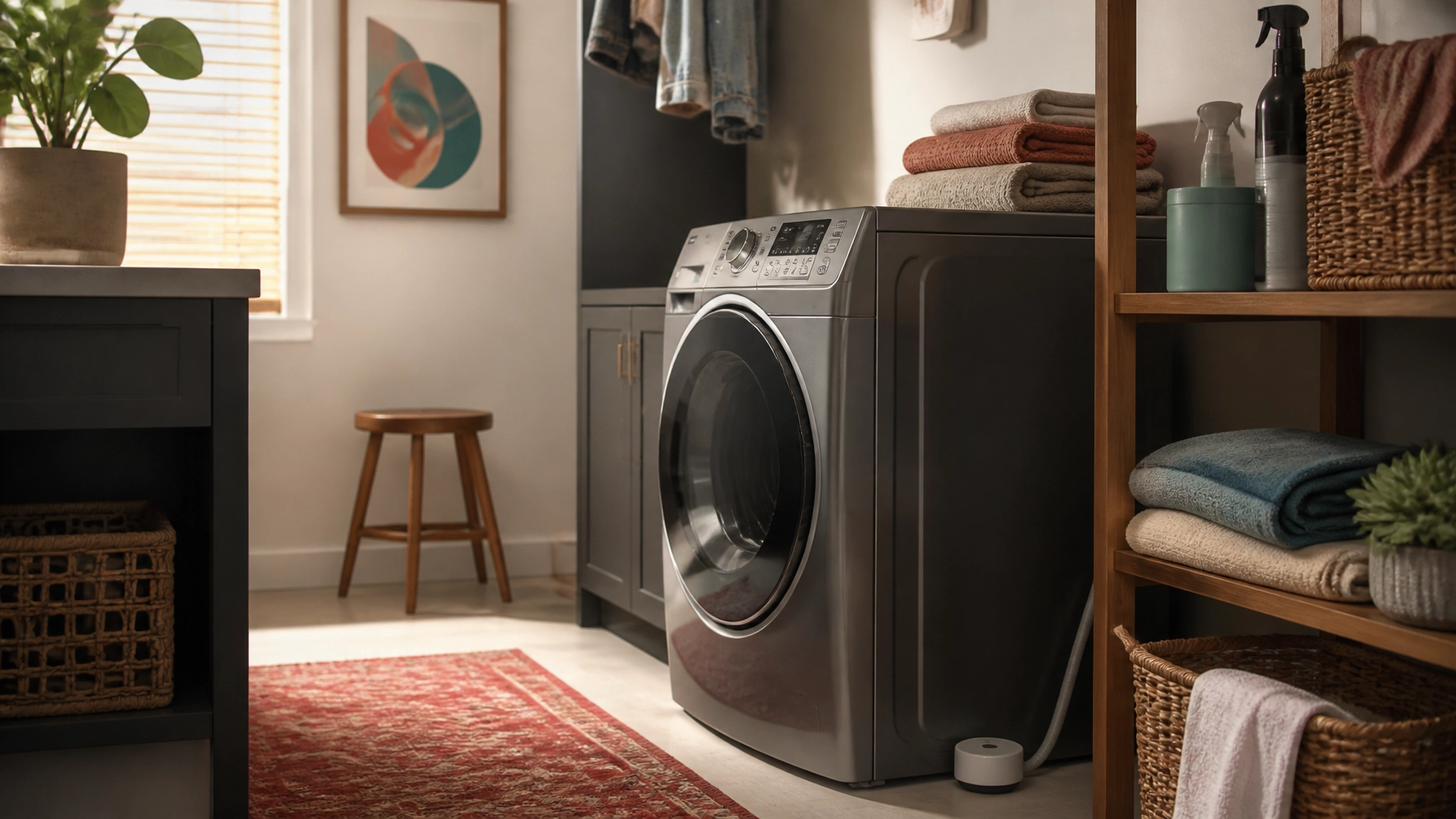
The floor near washing-machine hoses and drain connections is one of the strongest locations in the home. A failed hose or overflowing drain can release water quickly, while a slow connection leak may remain hidden behind the machine.
Water heater
Place a sensor near the base of the water heater, where leaking water would likely collect. If the heater sits in a pan, position the sensor where water will reach it rather than on a raised ledge.
Dishwasher
A sensor near the front edge of the dishwasher or in the adjacent cabinet may catch water escaping before it spreads across the kitchen floor.
Refrigerator
If the refrigerator has an icemaker or dispenser, consider placing a sensor near the water-supply connection. This is especially useful when the connection is tucked behind the appliance and rarely inspected.
Bathroom vanity
Place one near supply valves and drain connections beneath the sink. A cable or extension probe can be useful when the cabinet is crowded or the likely collection point is difficult to reach.
Basement or utility area
Consider sensors near sump pumps, condensate drains, boilers, HVAC equipment, or other water sources. Utility rooms and basements are particularly good candidates for long-range systems when Wi-Fi is weak or the sensor is far from the router.
Features that actually matter
Reliable water detection
Most sensors use exposed contacts, probes, or a sensing cable. A compact puck is convenient for a floor or cabinet base. A cable is better when you need to cover a longer edge or reach under an appliance.
Notification method
Useful alert options include app push notifications, a local siren, email, SMS or text, and hub-based alerts. Verify the exact method for the specific model. A loud alarm matters if the phone is not nearby or the internet is temporarily unavailable.
Connectivity and hub requirements
Wi-Fi sensors generally connect through your home network. Zigbee sensors communicate with a compatible hub. Thread devices communicate through a Thread network and may require a border router. Matter is a smart-home standard that can improve platform compatibility, but it does not eliminate every hub or controller requirement.
A proprietary hub can be worthwhile when it provides stronger range, a louder central alarm, or support for many sensors. It is still another piece of hardware, so account for its location, power, and Wi-Fi requirements.
Battery life
Battery estimates are usually manufacturer claims rather than guarantees. Battery life varies with the sensor, alert activity, temperature, and network conditions. Choose a model that provides low-battery warnings and check the sensor occasionally.
Temperature and freeze alerts
Temperature sensing is a useful bonus in basements, garages, utility rooms, and other spaces where frozen pipes are a concern. It is only useful if the specific model supports it.
Remote monitoring
Remote alerts are most useful when you travel or have equipment in a room you rarely visit. Test the alerts after setup. A notification buried in a rarely opened app is not much protection.
Five smart leak-detection options worth considering
GoveeLife Smart Water Leak Detector 1s, H5059 kit: Best overall value
Why we like it
The GoveeLife system is a practical, relatively inexpensive option for common locations such as the kitchen, laundry room, basement, or water heater. The linked two-sensor kit pairs one H5044 Wi-Fi gateway with two H5059 leak sensors.
The sensors do not connect to Wi-Fi on their own. They communicate with the GoveeLife gateway, which requires 2.4 GHz Wi-Fi. The system uses a long-range Sub-1G connection between the gateway and sensors; Govee claims up to about 1,804 feet in suitable conditions.
The sensors include a 105 dB adjustable alarm and IP67 water resistance. Govee advertises app and email alerts, and the current Amazon kit listing also advertises SMS/text alerts. Battery life is claimed by the manufacturer at up to about five years.
Best for
Homeowners who want broad alert options and long range without spending heavily on a more involved system.
What to consider
The gateway is required, and the advertised battery life is a manufacturer estimate. This is a detection system, not an automatic shutoff system.
Aqara Water Leak Sensor T1: Best for Aqara households
Why we like it
The Aqara Water Leak Sensor T1 is a compact Zigbee 3.0 sensor designed for homes already using, or willing to add, an Aqara hub. Aqara lists an IP67 housing and water detection at about 0.5 mm.
When water is detected, it can send app notifications, trigger the Aqara hub alarm, and automate other Aqara devices.
Best for
Readers building an Aqara-based smart-home system and those who want a small, discreet sensor for cabinets, bathrooms, and utility areas.
What to consider
Aqara states that an Aqara hub is required. Do not assume a third-party Zigbee hub will provide the same support. Aqara also suggests keeping the sensor within a reasonable range of the hub for a stable connection. Availability of the linked listing may vary.
Eve Water Guard: Best for Apple Home households
Why we like it
The Eve Water Guard is designed primarily for Apple Home households. Its 6.5-foot sensing cable monitors a wider area than a small floor puck and can be extended with additional cable to roughly 490 feet.
It includes a 100 dB siren and red LED warning light, along with notifications to an iPhone, iPad, or Apple Watch. The device uses Bluetooth and Thread, with Eve emphasizing local processing and no Eve cloud account.
Best for
Apple Home users who want a cable-based sensor beneath a sink, along a utility-room edge, or around a water heater.
What to consider
The device can be controlled locally from an iPhone or iPad without a hub, but away-from-home notifications and automation require an Apple home hub. Thread networking requires compatible Apple hardware that acts as a Thread border router, such as a HomePod mini or supported Apple TV 4K. It is also more expensive than the simplest options, and availability may vary.
YoLink Water Leak Detector 4 with SpeakerHub: Best for long-range utility areas
Why we like it
The linked YoLink starter kit includes one SpeakerHub and three Water Leak Sensor 4 units. Its LoRa-based communication is designed for long range; YoLink advertises up to about one-quarter mile in open air.
That makes it a strong fit for basements, garages, utility closets, remote outbuildings, or other locations where Wi-Fi may be unreliable. The sensors include a 105 dB alarm and low-temperature/freeze warning. The starter-kit listing also advertises SMS/text, email, and app push alerts.
Best for
Larger homes and difficult-to-reach areas where range matters more than using a familiar Wi-Fi network.
What to consider
A YoLink hub is required for full functionality, and the SpeakerHub needs an internet connection. Battery life is described by the manufacturer as multi-year. The kit itself does not automatically shut off the water; that requires separate compatible valve hardware.
Moen Flo Smart Water Monitor and Shutoff: Best for whole-home monitoring and shutoff
Why we like it
The Moen Flo is a different category from the other products here. It installs on the main cold-water supply line rather than sitting beside one appliance or plumbing connection.
The 3/4-inch model monitors flow, pressure, and temperature, can alert you to leaks and abnormal water use, and can automatically shut off incoming water or be controlled remotely through the app.
Best for
Homeowners who want whole-home monitoring and automatic shutoff, particularly when the cost and installation are justified.
What to consider
This is not a simple plug-in leak sensor. Installation involves cutting into the main supply line, and Moen recommends professional installation. The unit also requires 2.4 GHz Wi-Fi and a nearby AC power outlet. It is a substantial investment and is better suited to homeowners than renters.
Start with the highest-risk locations
A sensible setup does not require dozens of sensors. Start with the location most likely to cause trouble: under the kitchen sink, beside the washing machine, or near the water heater. Test the sensor after installation, label it clearly in the app, and confirm that alerts reach you.
If you need broader coverage in a large or frequently empty home, add another sensor where water could go unnoticed. Consider a whole-home monitoring and shutoff system only when its cost, installation, and maintenance make sense for your situation.
A smart leak sensor is an awareness tool, not a guarantee. The best setup is the one that warns you early and sits in the right place.